

Block spam calls for good
Our AI voice assistant picks up unknown calls, has a real conversation, and only lets legitimate callers through. Scammers never reach you.
By providing your number and requesting a security check, you agree to receive a message from Lifeguard for verification and to receive your security check results. You agree you are entering a number owned only by you, and to receive a verification code. Subject to Lifeguard's Terms of Service and acknowledge the Privacy Policy. Message and data rates may apply.



Welcome
Wendy Peffercorn

Scanning for threats...
Analyzing your digital footprint
0%
Welcome
Wendy Peffercorn
Chats
+1 (555) 0183
12:14URGENT: Your Social Security has ...
Mom
11:16Hope you're having a great day! Lov...
IRS
10:32You owe back taxes. Pay now to av...
FedEx
9:28Your delivery is delayed due to an a...
Lifeguard
Active
Stop spam calls without missing important ones.
Our AI doesn't just block numbers, it actually talks to callers and figures out who's real and who's not.
AI Voice Screening
Our assistant answers unknown calls and has a natural conversation to determine intent.
Smart Caller Verification
Legitimate callers get through. Scammers, robocalls, and telemarketers get blocked.
Custom Call Rules
Set your preferences for how calls are handled—screen all, screen unknown, or whitelist contacts.
Like a personal assistant for your phone
Unknown call? Our AI answers, asks questions, and decides if you should be interrupted.
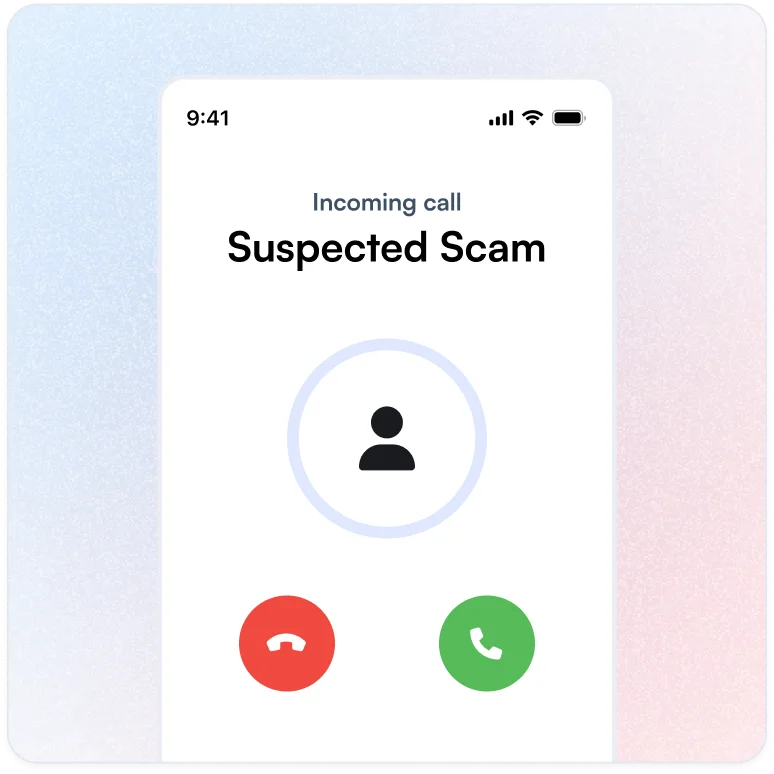
Unknown caller rings you
When someone not in your contacts calls, our AI assistant picks up instead of you.
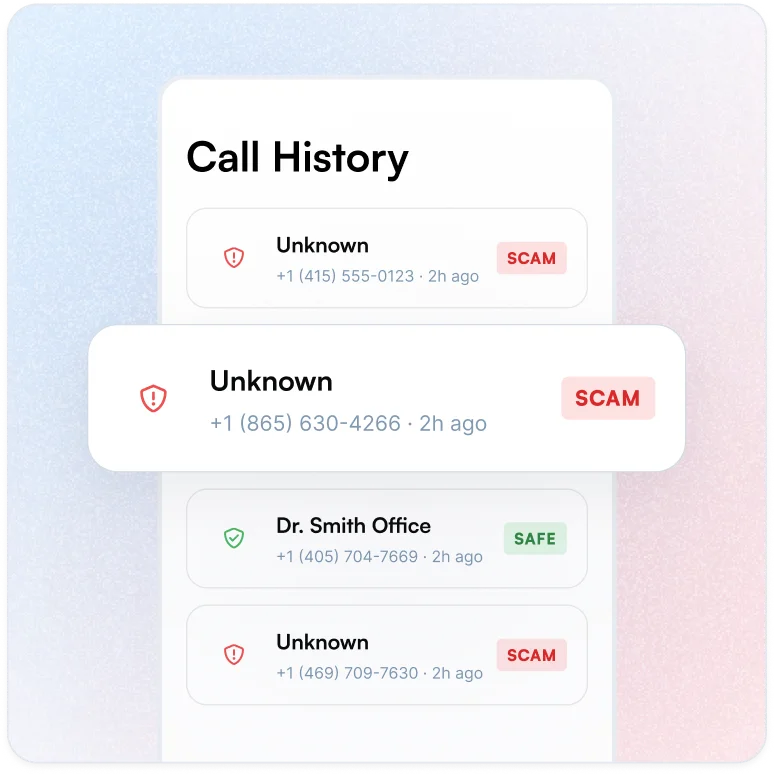
AI screens the caller
The assistant has a brief, natural conversation to understand who's calling and why. Scammers hang up. Real people explain themselves.
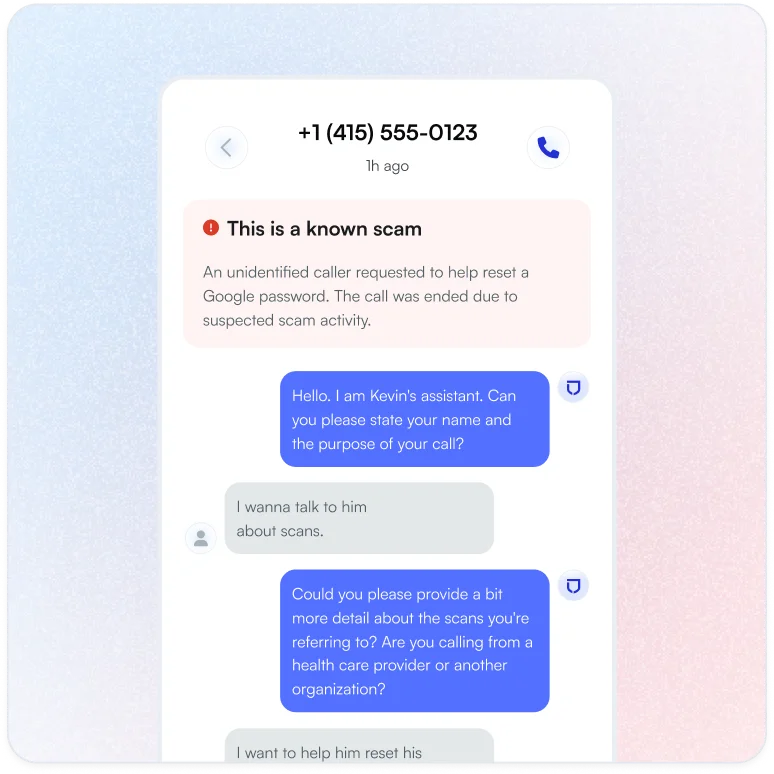
You decide what happens
Get a summary of who called and why. Take the call, call them back, or let it go. You're always in control.
Frequently asked questions
Does this work with my existing phone number?
Yes. Lifeguard works with your current phone number on iPhone. No need to change numbers or carriers. Setup takes about 3 minutes.
Does Lifeguard Spam Call Blocking work on both iPhone and Android?
Spam Call Blocking is currently available for iPhone users. Android support is coming soon.
If you're an Android user, you can still benefit from Lifeguard's other phone protections, like Do Not Call registration and dark web monitoring for your phone number, while we work on bringing call blocking to your device.
What carriers does Lifeguard Spam Call Blocking work with?
Lifeguard Spam Call Blocking works with all United States carriers: AT&T, Verizon, T-Mobile, and any other provider you use.
That's because our call blocking doesn't depend on your carrier's network. Instead, you forward your calls to your personal Lifeguard number, where our AI screens them before they reach you. This carrier-independent approach means you get the same protection no matter who provides your phone service.
How does Lifeguard's call blocking protect me from scam calls?
When someone calls your Lifeguard number, our AI assistant answers first and has a brief conversation with the caller. During this screening, the AI evaluates whether the call seems legitimate or suspicious.
Signs of a scam call:
- Urgent threats about arrest, lawsuits, or account suspension
- Demands for immediate payment via gift cards, wire transfer, or cryptocurrency
- Claims you've won a prize or lottery you never entered
- Requests for sensitive information like Social Security numbers or passwords
- High-pressure tactics and refusal to answer questions
- Robotic or pre-recorded sales pitches
Signs of a legitimate call:
- Healthcare providers and appointment reminders
- Delivery services with package updates
- Banks verifying a transaction you made
- Local businesses you've contacted
- Schools and community organizations
If the caller seems legitimate, our AI connects them to you. If they show signs of being a scammer, the AI politely ends the call, protecting you without you having to deal with them yourself.
Will Lifeguard Spam Call Blocking accidentally block important calls?
We've designed our screening to be careful, not aggressive. Our AI is instructed to transfer calls when there's any reasonable chance they're legitimate.
How we protect important calls:
- Your contacts get through automatically. When you sync your phone's contacts with Lifeguard, calls from those numbers bypass screening entirely. Friends, family, doctors, and businesses you know reach you directly.
- Legitimate callers pass screening. Our AI recognizes healthcare providers, delivery services, banks verifying transactions, schools, and other expected callers. These calls get connected to you.
- We ask questions before blocking. The AI doesn't block a call just because the caller sounds nervous or has an accent. It asks follow-up questions when uncertain and only blocks calls with clear warning signs.
- You can always review. Every screened call is logged with a full transcript and recording. If something was blocked that shouldn't have been, you'll know and can follow up.
Can I see a log of blocked calls and unblock numbers?
Yes. Every call that comes to your Lifeguard number is logged, whether it was connected, blocked, or went to voicemail.
For each call, you can see:
- Who called (with caller ID from your contacts when available)
- When the call came in and how long it lasted
- A summary of what the caller said
- The full transcript of the AI screening conversation
- An audio recording of the screening
If a call was blocked that you wanted to receive, you can review the transcript to understand what happened and add that person to your contacts so future calls come through without screening.
Can I create my own blocklist or allowlist inside the Lifeguard app?
Your phone's contacts act as your allowlist. When you sync your contacts with Lifeguard, calls from those numbers skip the AI screening and come straight through to you.
To make sure someone always reaches you:
- Add them to your phone's contacts
- Sync your contacts with Lifeguard
- Their future calls will bypass screening
For numbers you don't want to hear from, our AI screening handles that automatically—scam callers get blocked during the screening process. There's no need to manually maintain a blocklist because suspicious calls are evaluated and stopped in real time.
Does the app ring silently for blocked calls, send them to voicemail, or hang up automatically?
When our AI determines a call is a scam, it politely tells the caller "I'm sorry, but I'm not able to connect this call. Goodbye" and ends the call. The scammer doesn't get through to you or leave a voicemail.
For legitimate callers who pass screening but you don't answer, they can leave a voicemail that you'll be able to listen to in the app.
For blocked calls, you won't be interrupted at all, no ring, no voicemail from the scammer. But you can review what happened: the transcript and recording of the AI screening are saved so you can see exactly what the caller said and why the call was blocked.
How do I set up the Lifeguard call blocking app on my phone for the first time?
Setting up Spam Call Blocking takes just a few minutes, and we guide you through each step:
- Open the Lifeguard app: You'll see the option to set up Phone Protection in your dashboard.
- Verify your phone number: If you haven't already, we'll send a verification code to confirm your number
- Get your Lifeguard number: We'll provision a personal Lifeguard phone number for you, matched to your area code when possible
- Set up call forwarding: We'll walk you through forwarding your calls to your new Lifeguard number. This is a simple setting on your iPhone that takes about a minute.
- Sync your contacts: Import your phone contacts so calls from people you know come through without screening
- You're protected: Unknown callers now talk to our AI first. Scammers get blocked; legitimate calls reach you.
Once set up, everything works automatically. You don't need to do anything when calls come in. Our AI handles the screening, and you just see the results in your call log.